
How to Find and Review Funding Opportunities
Learn how to find and assess funding opportunities.
Finding and reviewing opportunities
Step 1: Access the page
Click on ‘Find Funding’ in the main navigation. Here you’ll see a list of all the funding requests you’ve created.
Step 2: Run a scan
Next to a funding request, click ‘Find Matches’ for our system to begin scanning the database. The process can take a few minutes depending on the funding request.

Step 3: View results
When the scan is complete, click on ‘View Results’. The funding opportunity matches will usually appear in three groups:
- Open Now
- Opening Soon
- Relational Funding
Step 4: Analyse each match
You can explore why the system identified each match. Click for information on 'How we matched' or to learn more about the funder.
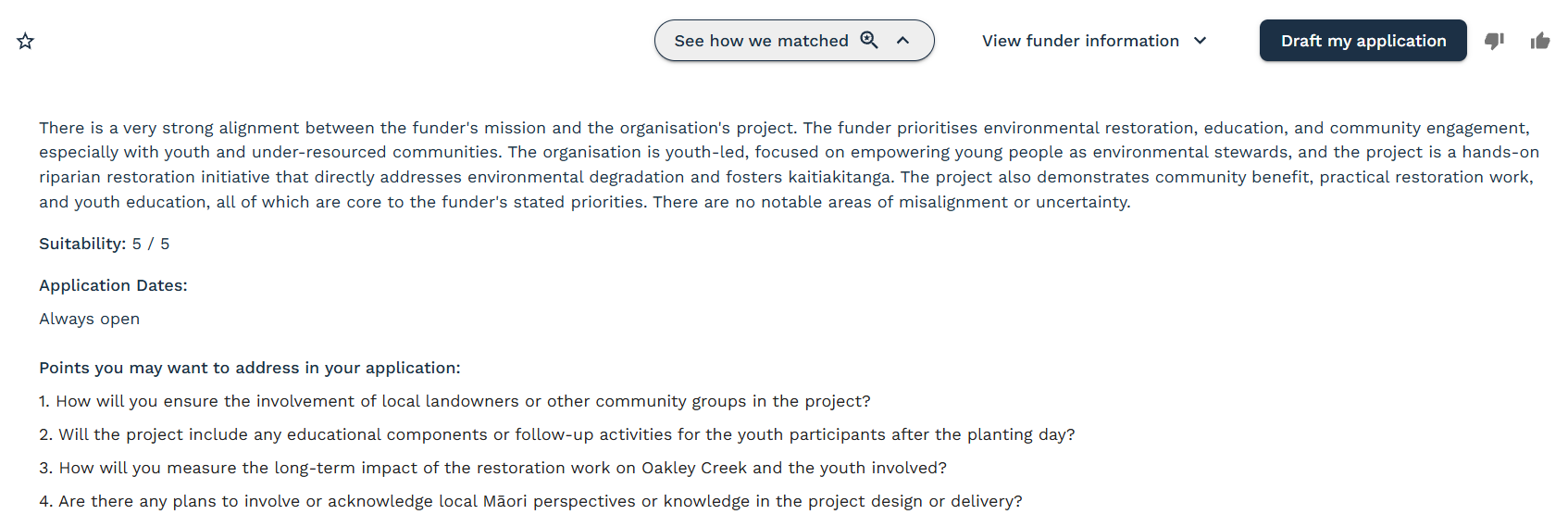
The icons on each row perform the following functions:
- Star: 'Favourite' the opportunity as a reminder to draft an application at a later date.
- 'Closing Soon': This tag appears when the grant application window is closing soon. This is to help you prioritise which applications to work on first (if the opportunity is of interest).
- Thumbs down: Remove the match from your results. A pop-up will appear for you to submit additional details. Please provide feedback so we can explore improvements to the system.
- Thumbs up: Let us know it was a good match. A pop-up will appear for you to submit additional details. This helps us improve our database and recommendations for future matches.
- Information: The (i) icon indicates when data for the opportunity may be out of date. This can happen when the opportunity has recently been updated in the database. At the top right of the page, click 'Re-find matches' for the scan to run again. This should pull through the up-to-date information for the opportunity. Email help@fundsorter.com if you experience any issues.
- Bell: Opportunities in the 'Open in the next 3 months' field will have a bell icon on display. Click the icon to receive an email reminder when the opportunity opens.
Occasionally the system will display 'No application questions' next to an opportunity. Please email help@fundsorter.com for us to look into this for you.
Step 5: Generate an application
When you find a good match, click 'Draft My Application'. The system will begin generating your funding application. This process can take a few minutes depending on the application form.
Tips for Success
Check regularly
New funding opportunities are added daily. Re-scan for matches often to see the latest opportunities.
Manage Deadlines
Pay close attention to the funder deadlines. These deadlines may be sooner than the full timeframe used in your funding request.
Review All Matches
Sometimes unexpected connections can lead to successful funding.
Can’t see a funding opportunity you were expecting?
It might be that the funders grant rounds aren’t open right now, that the system doesn’t think it’s a good match, or that we don’t have that funder in our system yet! You are always welcome to message us and we can check for you :)