
Help Signing In
Having trouble signing in to Fundsorter? Most sign-in problems come down to one of two things, and both are easy to fix. This guide walks you through them.
"Try signing in a different way"
There are two ways to sign in to Fundsorter:
- With Google (the 'Continue with Google' button), or
- With an email address and password.
If you signed up using one method but then try to sign in with the other, you'll see this message:
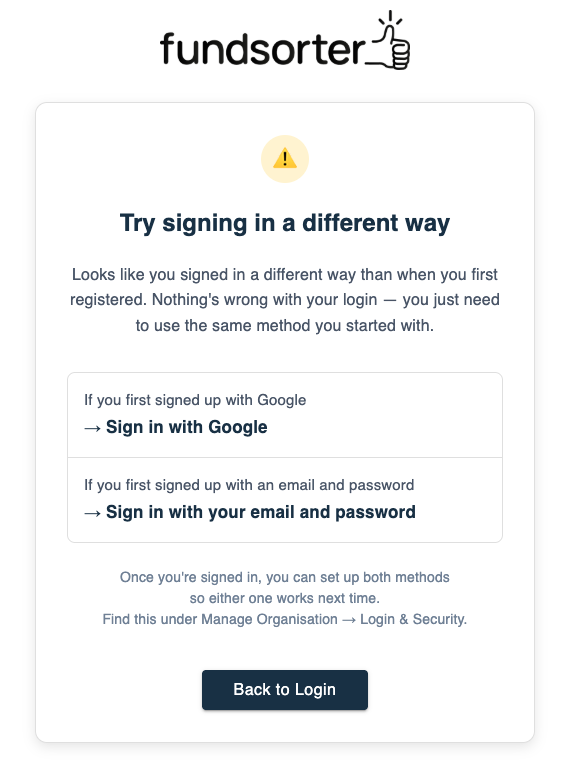
Nothing is wrong with your account. You're simply trying to sign in a different way than the one you used when you first registered. Your account and all your information are safe — you just need to use the same method you started with.
What to do:
- If you first signed up with Google, sign in with Google.
- If you first signed up with an email and password, sign in with your email and password.
If you can't remember which one you used, try one — if you see the message above, go back and try the other.
Use both methods in future
Once you're signed in, you can set up both sign-in methods so it doesn't matter which one you use next time. See Managing Login Methods for step-by-step instructions.
You didn't get a password reset email
If you asked to reset your password but no email arrived, first check your spam or junk folder. If it still isn't there, it almost always means one of two things:
- You didn't sign up with an email and password. If you originally signed up with Google, there's no password to reset — Google looks after your sign-in. Go back to the login page and use the 'Continue with Google' button instead.
- The email address was entered incorrectly. Double-check the spelling, and make sure you're using the same email address you signed up with. A reset password email can only be sent to the address that's actually on your account.
If you've tried both of these and still can't sign in, get in touch at [email protected] and we'll help you get back in.